AI chart analysis · wallet trade review
Snap any chart. Get a clear read in seconds.
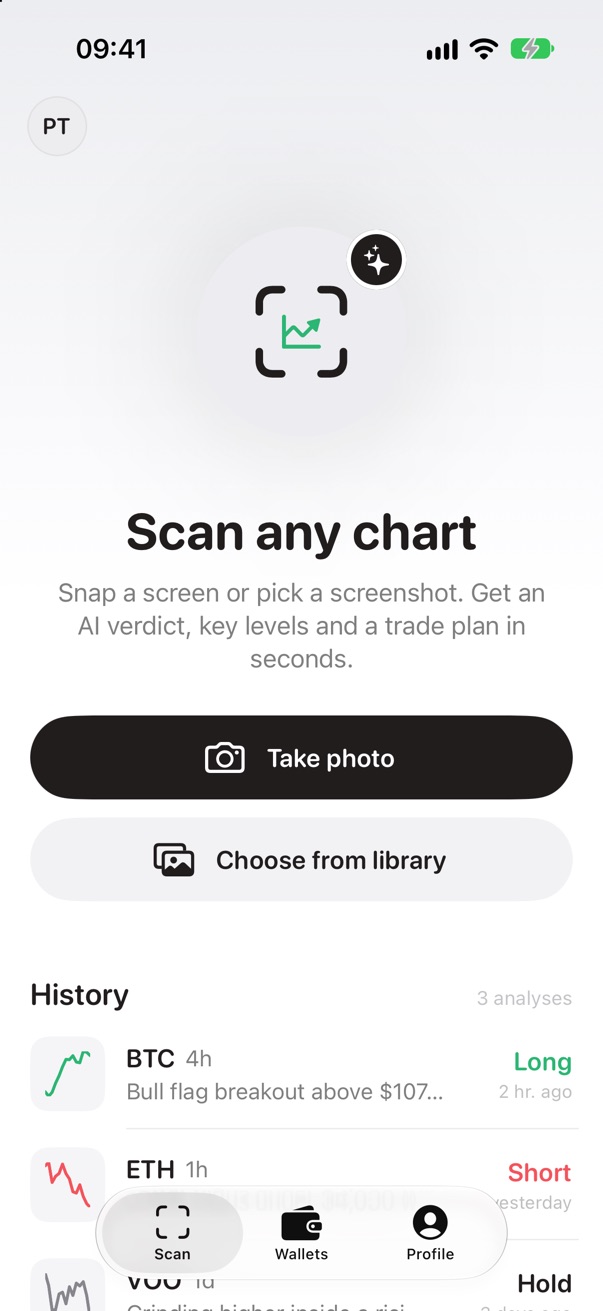
Take a photo or screenshot of a crypto, stock or forex chart. Chart Coach's AI returns a long, short or hold verdict, key levels, patterns and a trade plan. Then paste your wallet address to see what your own trades say about you.
Educational only. Not financial advice. Chart Coach's AI can be wrong. It reads only what's in your image, has no live market data, and doesn't know your finances or goals. Every trade you make is your own decision and your own risk.
How it works
Two ways to sharpen your trading
Read any chart before you trade, and look back at the trades you've already made.
Read a chart
- 1
Snap or upload a chart
Photograph a screen or pick a screenshot from TradingView, your exchange or your broker app.
- 2
Get the AI report
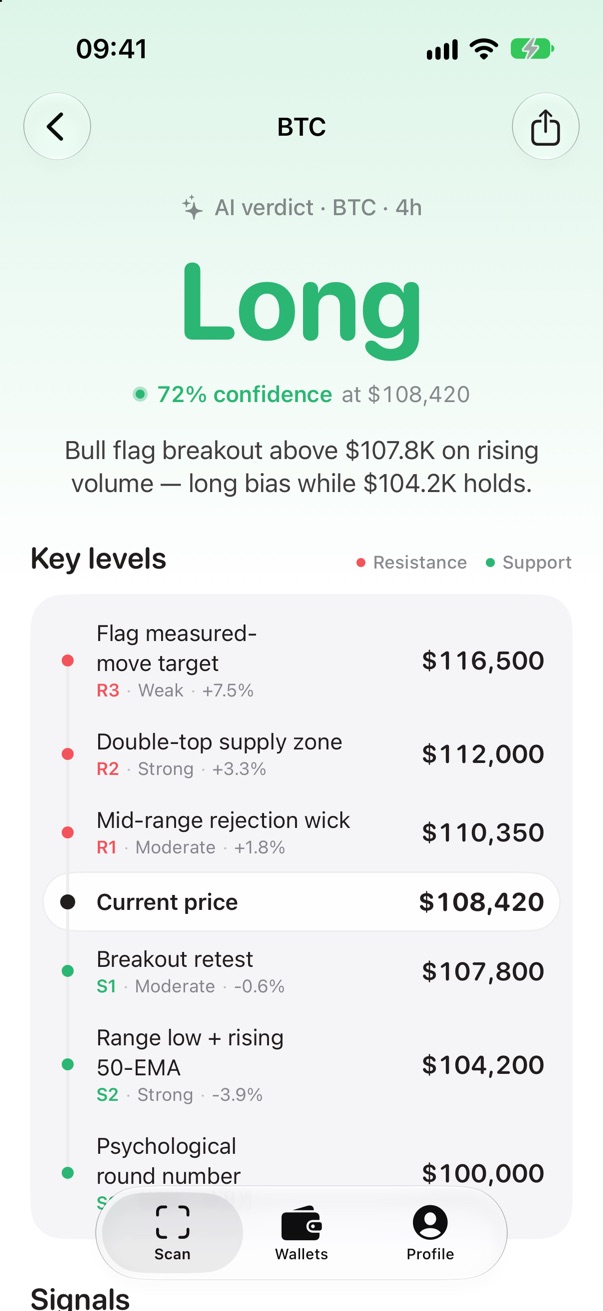
A long, short or hold verdict with confidence, key levels, signals and patterns, usually in 10–20 seconds.
- 3
Act with a plan
See an entry, a stop and targets, plus the risks that would prove the idea wrong. The decision stays yours.
Review your trading
- 1
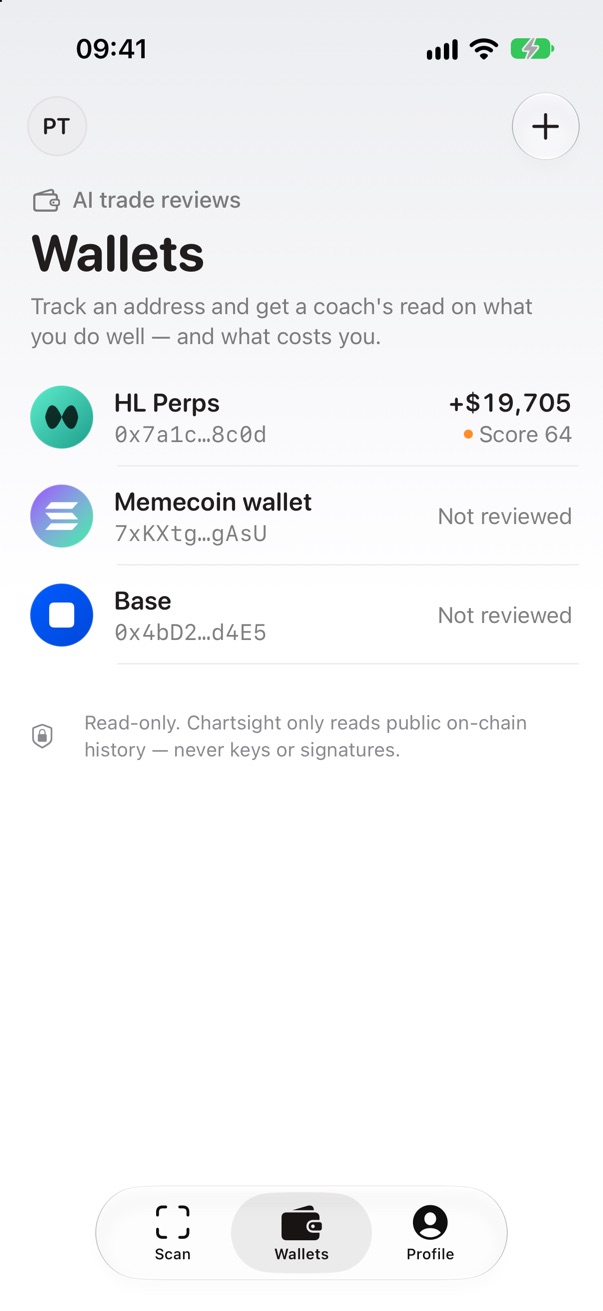
Paste a wallet address
Any public address on Hyperliquid, Solana, Ethereum, Base or Arbitrum. No wallet connection, no keys.
- 2
Your stats, from the chain
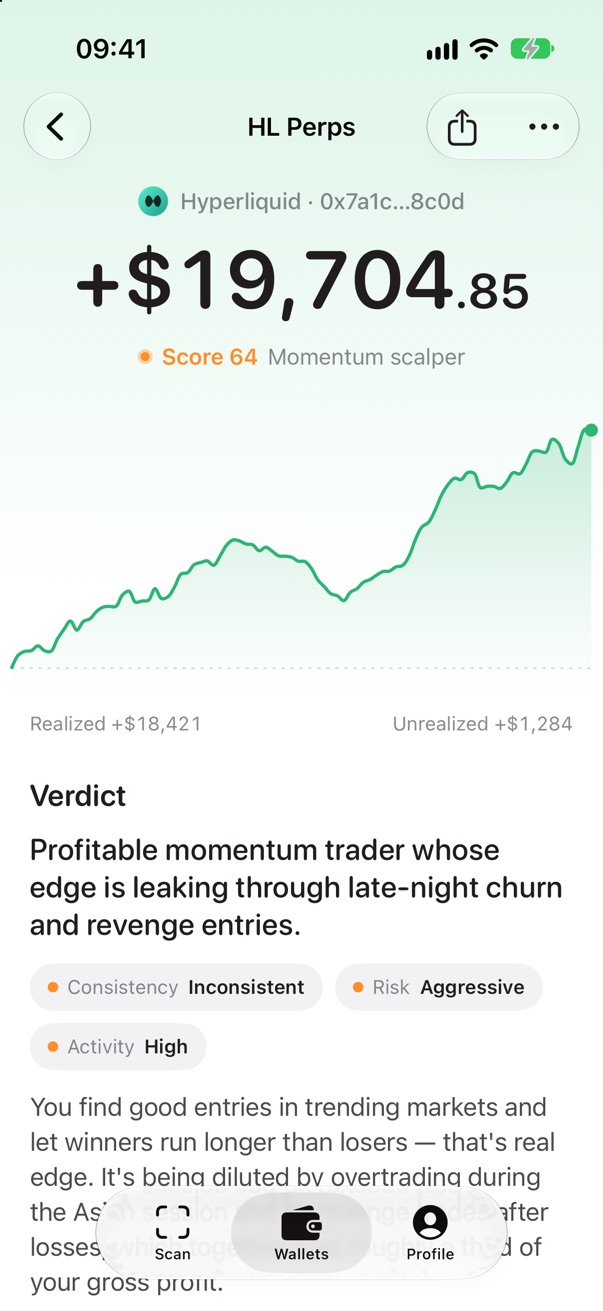
PnL, win rate, profit factor, drawdown, hold times, your best and worst hours, and open positions.
- 3
A coach's review
A score, your trader archetype, strengths, weaknesses, habits, red flags and concrete action items.
Inside the app
Reports you can actually act on
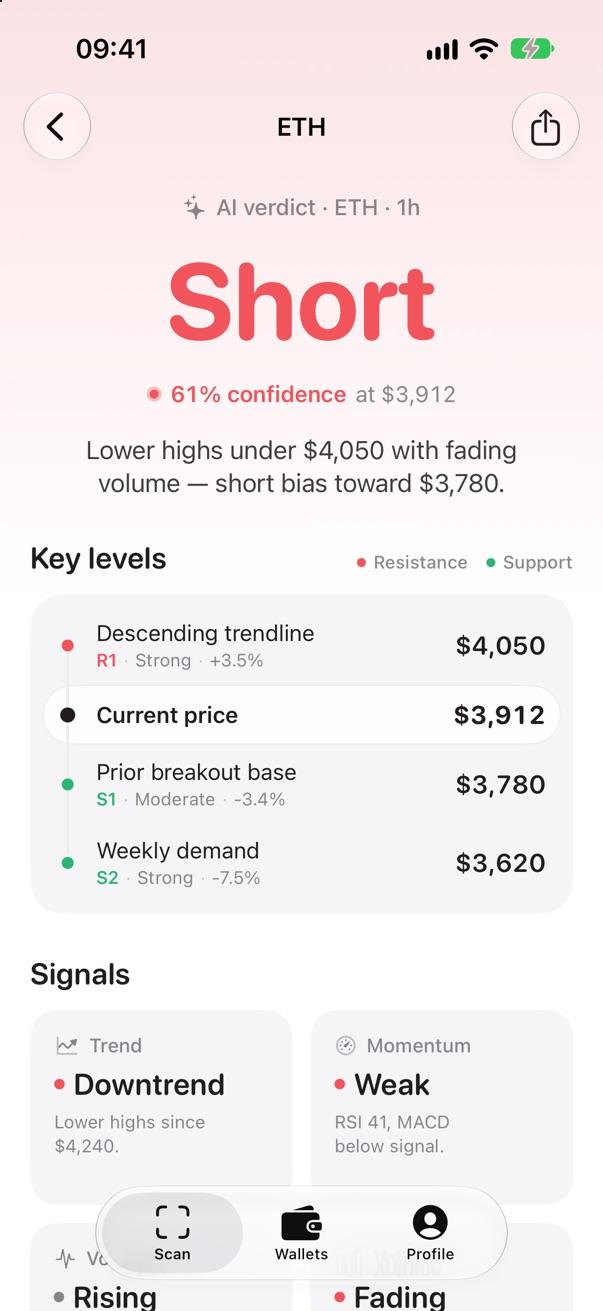
Short setups too
Bearish reads get the same depth: levels, signals and where the idea fails.
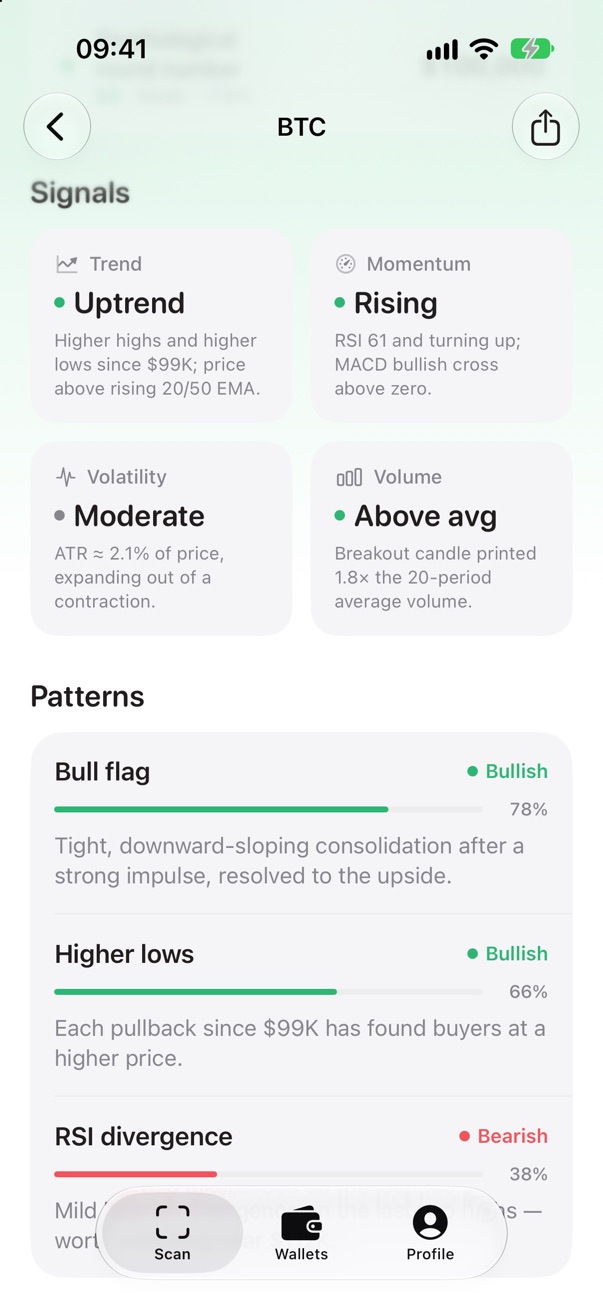
Signals and patterns
Trend, momentum, volatility and volume, plus the patterns the AI spotted, each with a confidence score.
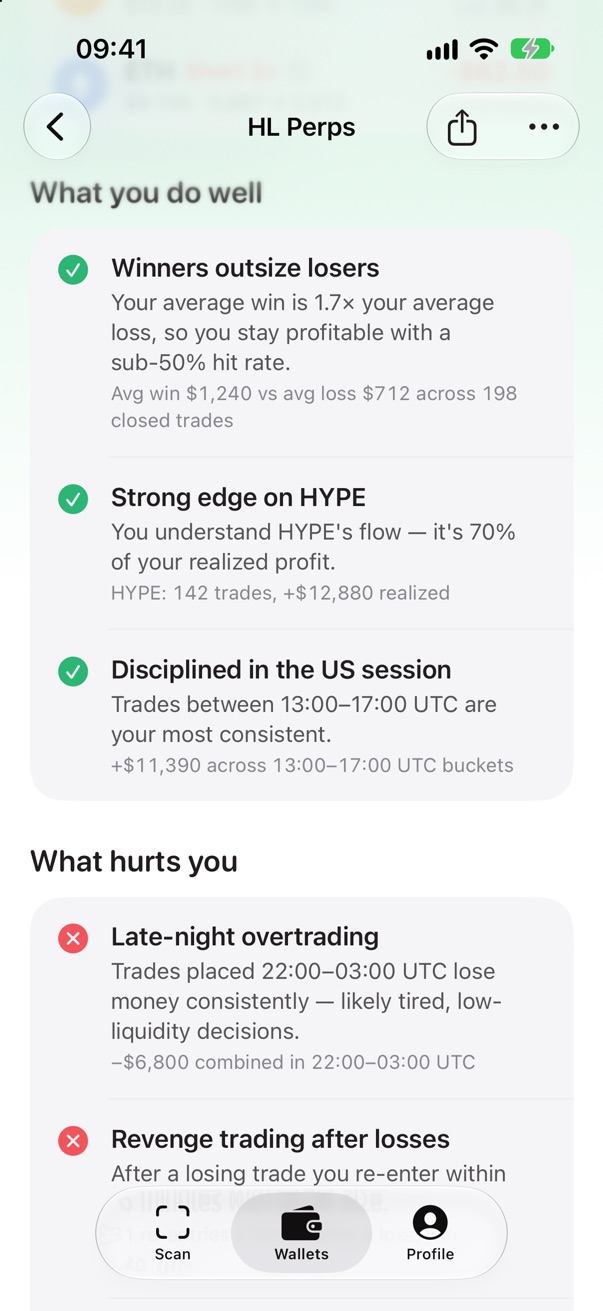
What you do well, and what hurts
Every point in your review cites the numbers behind it.
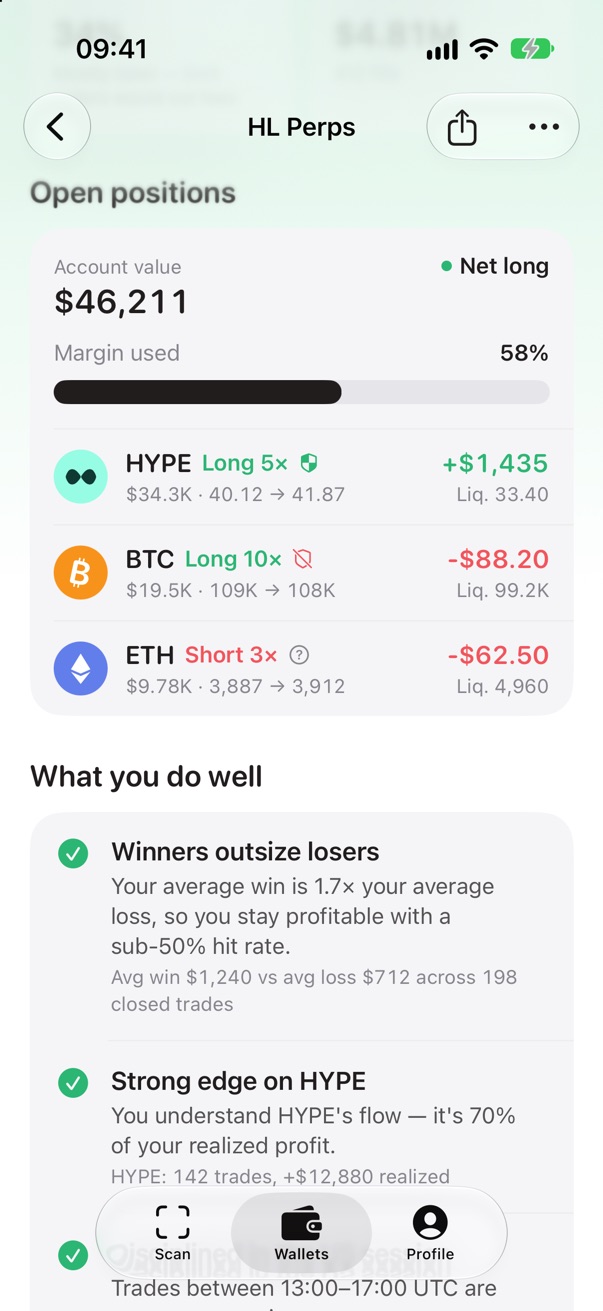
Open positions
For Hyperliquid: account value, margin used, and every open position with its liquidation price.
Features
Everything in one scan
Long, short or hold
A clear verdict with a confidence score and a one-line reason.
Support and resistance
Key levels with their strength and distance from the current price.
Trend, momentum, volatility, volume
The four signals that matter, each explained in plain words.
Pattern detection
Flags, wedges, double tops, divergences and more, with how confident the AI is.
Trade plan and risks
Entry, stop and targets, and what would invalidate the setup.
Any market, any timeframe
Crypto, stocks, ETFs and funds, forex, commodities and indices.
Wallet trade review
Hyperliquid, Solana, Ethereum, Base and Arbitrum. Read-only: we only read public on-chain history.
Your scan history
Reopen any past report, or delete the ones you don't want to keep.
21 languages
The app and its AI reports speak your language, including Arabic, Hebrew, Persian and Urdu.
Pricing
One subscription, everything included
Chart Coach requires a subscription. There's no free trial and no free version, so you'll always know exactly what you pay.
Weekly
$7.99/ week
Billed every week
- AI chart reports for any market
- Wallet trade reviews on 5 chains
- Your full scan history
- Reports in 21 languages
Yearly
$49.99/ year
Just $0.96 a week, billed yearly
- AI chart reports for any market
- Wallet trade reviews on 5 chains
- Your full scan history
- Reports in 21 languages
Prices in US dollars; your local price is shown in the app before you buy. Subscriptions renew automatically until you cancel in your App Store settings, at least 24 hours before the period ends.
FAQ
Good questions
Is Chart Coach financial advice?
No. Chart Coach is an educational tool. Its reports are AI-generated opinions about a chart or a wallet's history, not recommendations to buy or sell anything. The AI can be wrong, has no live market data and doesn't know your situation. You're responsible for your own trades.
Which charts work?
Any candlestick or line chart: screenshots from TradingView, exchanges and broker apps, or a photo of a screen. Crypto, stocks, ETFs and funds, forex, commodities and indices, on any timeframe. The clearer the chart, the better the read.
Do I have to connect my wallet?
No. You paste a public address and Chart Coach reads its public on-chain history. It never asks for your seed phrase, private keys or signatures, and it can't move funds.
What happens to my chart images?
They're analyzed by our AI provider to write your report, and saved with your history so you can reopen it. You can delete any scan, or your whole account, in the app.
Is there a free trial?
No. Chart Coach doesn't offer a free trial or a free version. You choose a weekly or yearly subscription, and the price is shown before you confirm with Apple.
How do I cancel?
On your iPhone, open Settings › your name › Subscriptions › Chart Coach and tap Cancel Subscription, at least 24 hours before the period ends. You keep access until then. Deleting the app or your account doesn't cancel the subscription.
Can I get a refund?
Payments are handled by Apple, so refunds are too. Request one at reportaproblem.apple.com. This doesn't affect any refund rights you have under the law of your country.
Something isn't working
Write to hello@chartcoach.app and we'll help.
Read the chart. Then read yourself.
Chart Coach for iPhone. Educational only, not financial advice.
Download on theApp Store